

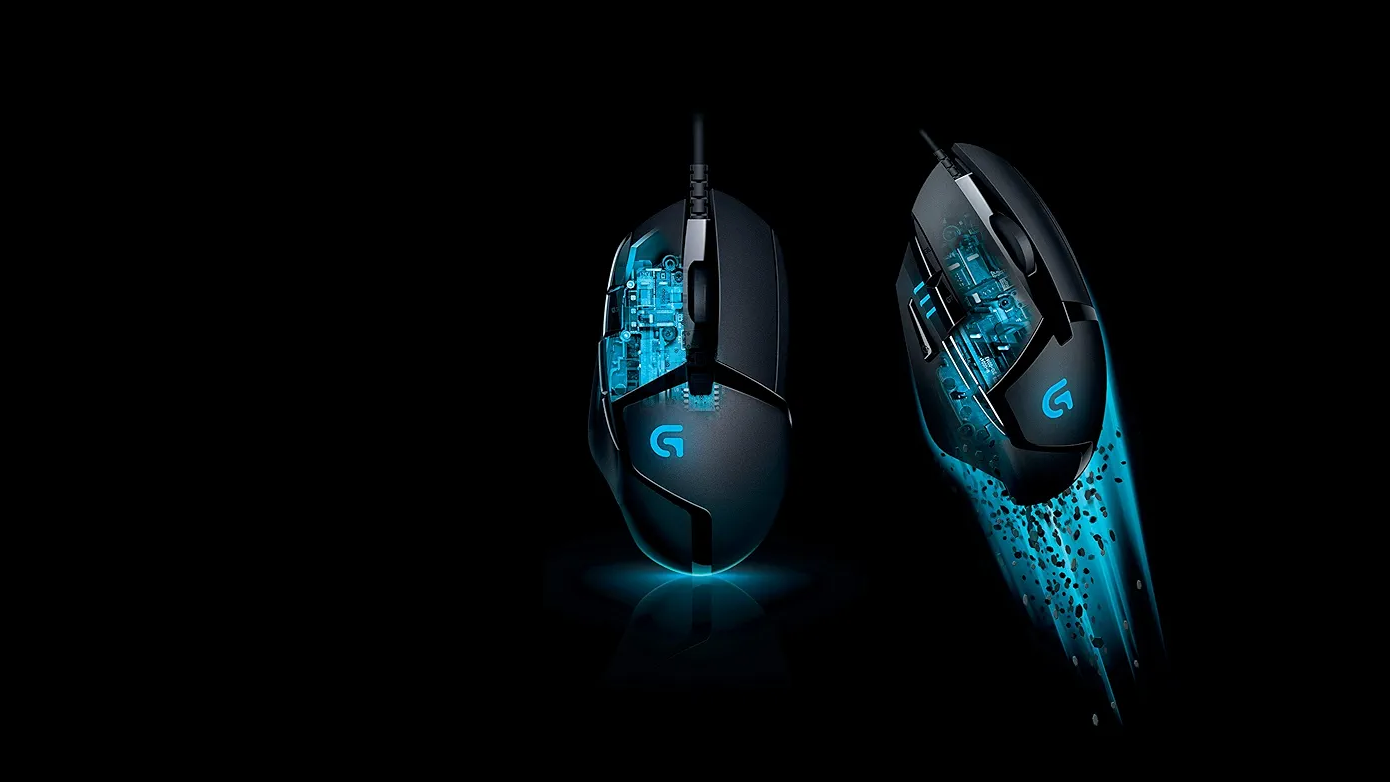
I picked up the Logitech G402 about eight months ago when I was getting serious about FPS games. Before this I was using a basic Dell office mouse that came bundled with my PC functional for browsing and work but completely inadequate the moment I tried to aim precisely in Valorant. After reading through a lot of forums and watching several comparisons I kept seeing the G402 recommended for beginners who want something reliable without overspending. Ordered it and haven’t looked back.
Build and First Impressions
Lighter than I expected from the photos. 108 grams without the cable which you notice immediately when you pick it up compared to heavier office mice. The shape is elongated and the curves sit naturally under the palm I use palm grip and it fits well. The side grips have a slightly textured rubber feel that keeps things secure during fast movements without feeling sticky.
No RGB lighting which some people see as a negative. Honestly I don’t miss it. The design is clean and focused. It looks like a tool rather than a decoration and that suits me fine. The build doesn’t creak or flex anywhere feels solid throughout.
The 2.1 meter cable is generously long and has a slight stiffness that keeps it from flopping around too much on the desk. Not as flexible as braided cables on more expensive mice but perfectly manageable with a cable clip or tape to keep it out of the way.
Sensor Performance The Most Important Part
The Fusion Engine Hybrid Sensor is what makes this mouse worth talking about. Eight months of daily use and the tracking feels the same as day one consistent, accurate, no drift or jitter during normal gameplay.
In Valorant I play at 800 DPI and the movement feels exactly as intended no acceleration adding inconsistency, no skipping during fast flicks. When I first started using it I noticed my aim was more predictable than with the office mouse simply because the sensor was doing what I expected rather than adding its own inconsistencies on top of my movements.
The 1000Hz polling rate means the cursor position updates every millisecond. In fast-paced games you don’t notice this consciously but the responsiveness feels tight rather than laggy. Budget mice at 125Hz feel slightly behind by comparison once you’ve used something faster.
DPI and the On-the-Fly Switching
Range goes from 240 to 4000 DPI across multiple steps. The DPI buttons sit just behind the scroll wheel and are easy to reach without accidentally pressing them during gameplay. I mostly stay at 800 but occasionally drop to 400 for particularly precise shots in certain situations.
The DPI indicator light changes color with each step so you know where you are without looking at the screen. Small feature but useful when you’ve accidentally bumped the button and need to confirm your current setting quickly.
For context most serious FPS players use between 400 and 1600 DPI. The G402’s maximum of 4000 covers everything a beginner actually needs. The mice advertising 25,000 DPI are selling numbers that have no practical use for most people.
The 8 Programmable Buttons
Left click, right click, scroll wheel click, two side thumb buttons, DPI up, DPI down, and a sniper button on the side. I use the thumb buttons for push-to-talk and one game-specific shortcut. The sniper button temporarily drops DPI to a preset low value while held useful for precision shots in certain games though I don’t use it much personally.
All buttons feel tactile and responsive. Left and right clicks have a satisfying snap without being too loud. The scroll wheel has defined steps and doesn’t feel loose or mushy. Eight months of heavy clicking and nothing has changed in how any of them feel.
Logitech G HUB software lets you remap and customize everything. The software is straightforward to navigate and you don’t need to use it at all if you’re happy with defaults the mouse works plug and play out of the box.
Comfort Over Long Sessions
I game for roughly 2 to 3 hours most evenings. The G402 causes no hand fatigue in that time. The weight distribution is balanced and the shape doesn’t force your hand into an uncomfortable position. I’ve had longer weekend sessions of 4 to 5 hours and still no discomfort.
I also use this mouse for work browsing, documents, the usual and it’s perfectly comfortable for that too. Having one mouse for everything is convenient and the G402 handles both use cases without any compromise.
Gaming Performance Across Different Games
Valorant is my main game and the G402 handles it well. Aim feels consistent and predictable which is what you actually want when you’re trying to improve. CS2 similarly the sensor accuracy matters in a game where small movements decide outcomes and this mouse delivers that.
Tried it in Apex Legends where faster movement and tracking shots are more important than precise static aiming also works well, the lightweight body helps with the constant repositioning the game demands.
For non-FPS games like RPGs and MOBAs the programmable buttons are more useful than the sensor precision. Works fine for those too.
Is It Still Relevant in 2025?
This comes up a lot. The G402 is an older mouse and newer options exist. The honest answer is that for a beginner the sensor performance is still genuinely good not cutting-edge by enthusiast standards but accurate and consistent enough that it will never be the reason you miss a shot. The shape, build quality and button feel are still competitive at the price.
Where newer mice have moved ahead is in sensor technology, lighter weight, and wireless options. If those things matter to you and you have more budget, newer Logitech G models or options from other brands are worth considering. But if you’re starting out and don’t want to spend ₹4,000 to ₹6,000 on a first gaming mouse the G402 still makes complete sense.
Price
Between ₹2,000 and ₹2,500 on Amazon and Flipkart. Occasionally goes on sale for less. At that price for a Logitech mouse with a 2-year warranty and a sensor that still holds up it’s genuinely good value. Don’t pay above ₹2,500 for the standard model.
Worth Buying?
For beginners getting into PC gaming who want something reliable and affordable yes, without hesitation. Eight months of daily use across gaming and work and it performs the same as when I bought it. For the price it’s hard to find a more dependable option.
Logitech G402 Hyperion Fury Full Specifications
| Category | Details |
|---|---|
| Product Name | Logitech G402 Hyperion Fury |
| Sensor | Fusion Engine Hybrid Sensor |
| DPI Range | 240 to 4000 DPI |
| Buttons | 8 Programmable |
| Polling Rate | 1000 Hz (1 ms) |
| Max Speed | 500+ IPS |
| Acceleration | 16g+ |
| Processor | 32-bit ARM |
| Weight | 108 g without cable |
| Dimensions | 136 × 72 × 41 mm |
| Cable Length | 2.1 m |
| Connectivity | Wired USB |
| Button Durability | 20 million clicks |
| Feet Durability | 250 km |
| Compatibility | Windows 10 or later |
| Software | Logitech G HUB (optional) |
| Warranty | 2-Year Limited Hardware Warranty |
| Box Contents | Mouse, User Documentation |
Questions about grip style compatibility or how it performs in specific games drop them in the comments.
