

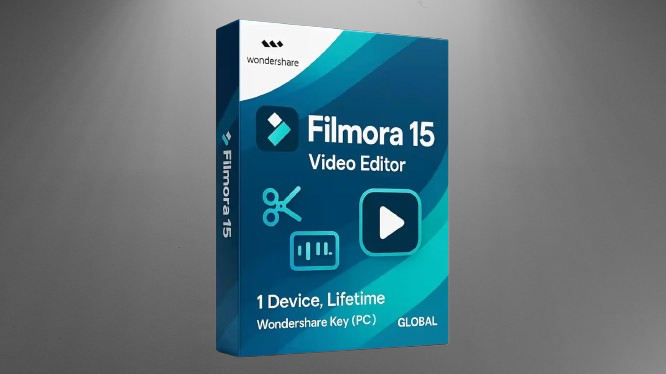
Filmora is one of the most widely recommended video editing tools for beginners and that reputation is largely deserved. But before spending money on it, there are some things worth understanding clearly particularly around licensing, what the AI features actually do, and how it compares to free alternatives. Here’s an honest breakdown.
Who Filmora 15 Is Actually For
Filmora sits in a specific position in the editing software landscape. It’s more capable than free mobile apps like CapCut or InShot, easier to learn than professional tools like Premiere Pro or DaVinci Resolve, and more polished than completely free desktop editors like Shotcut or OpenShot.
That middle position is where its value lives. If you’re creating YouTube videos, educational content, social media reels, or product presentations regularly and want a desktop tool that doesn’t require weeks of learning Filmora makes sense. If you’re considering a professional career in video editing, the investment is better placed toward learning DaVinci Resolve which is free and industry-standard.
The AI Features What’s Genuinely Useful
Background Removal works reasonably well for subjects shot against simple backgrounds with decent lighting. It’s not perfect complex hair or semi-transparent objects will show imperfections but for typical talking-head YouTube videos it saves meaningful time compared to manual masking.
Smart Scene Detection automatically identifies cut points in footage based on visual changes. For long raw footage this genuinely speeds up the rough cut process. Instead of manually scrubbing through an hour of video to find scene changes, the tool identifies them and creates markers automatically.
Noise Reduction in the audio track reduces consistent background sounds like fan hum, air conditioning, or room noise. It’s not as sophisticated as dedicated audio tools like Audacity or Adobe Audition but handles typical home recording environments adequately.
Automatic Enhancements adjust color and exposure automatically. Results are inconsistent sometimes useful, sometimes requiring manual correction afterward. Treat it as a starting point rather than a finished result.
Core Editing Experience
The timeline-based editing interface is genuinely intuitive. Dragging clips, trimming edges, adding transitions, inserting titles, and managing audio tracks work as expected without requiring tutorial videos to figure out. For someone coming from no editing experience this is the correct starting point.
The built-in asset library transitions, titles, effects, music tracks saves time on repetitive elements. Most YouTube creators use a consistent intro style, lower thirds, and transition set. Having these accessible within the software without third-party downloads simplifies the workflow.
Export quality and format support is solid. MP4 export at various resolutions including 4K works cleanly. Export settings are straightforward rather than requiring technical knowledge of codecs and bitrates.
The Licensing Question Read This Before Buying
This is the most important section for making a smart purchasing decision.
The “Lifetime Access” or “Perpetual License” means lifetime access to Filmora 15 specifically not to all future versions. When Filmora 16 or later releases with new features, upgrading requires additional payment. This is standard software licensing practice but worth understanding clearly before purchase.
Some listings on Amazon and other platforms sell what appears to be a “pre-activated” Filmora license. Be cautious here. Legitimate Filmora licenses come from Wondershare directly or authorized resellers with verifiable activation keys. Pre-activated software sold by third parties can mean cracked or unauthorized copies which violate terms of service, may lack updates, and could create security risks. The safest purchase is directly from the official Wondershare website.
Also note that some AI features in Filmora require AI credits which are tied to subscriptions or have usage limits. The perpetual license covers the core software but some advanced AI tools may require additional credit purchases for heavy use.
Free Alternatives Worth Knowing About
Before spending money, be aware of genuinely capable free options:
DaVinci Resolve is completely free, professional-grade, and used in Hollywood productions. The learning curve is steeper but the investment in learning it pays off more if editing becomes a serious pursuit. CapCut desktop version handles simple social media content free. Kdenlive is free open-source desktop editing that covers most basics.
If you’re just starting out and unsure whether video editing will become a regular activity, trying a free tool first before investing in Filmora is a sensible approach.
Price What Makes Sense for Different Users
The annual subscription at around ₹2,699 to ₹3,500 per year is the right choice if you want continuous AI feature updates and new tools as Wondershare releases them.
The perpetual license at around ₹5,500 to ₹6,500 makes financial sense if you plan to use Filmora 15 specifically for several years and don’t need future version upgrades. Over 3 years the perpetual license costs less than paying annual subscription fees.
Watch for seasonal sales Wondershare runs significant discounts during Diwali, New Year, and other sale events. The perpetual license regularly drops to around ₹4,999 during these periods which improves the value calculation considerably.
Monthly or quarterly plans around ₹1,200 to ₹1,600 work for specific short-term projects where you need the software temporarily.
License Type Comparison
| License Type | Price Range | Best For |
|---|---|---|
| Monthly / Quarterly | ₹1,200 to ₹1,600 | Single project or trying before committing |
| Annual Subscription | ₹2,699 to ₹3,500 per year | Regular creators who want ongoing updates |
| Perpetual License | ₹5,500 to ₹6,500 (₹4,999 on sale) | Long-term users wanting no recurring fees |
Worth Buying?
For beginners and intermediate creators who edit regularly and want a polished, easy-to-use desktop editor yes, Filmora 15 is a legitimate and worthwhile purchase. The AI tools are genuinely useful for the target audience and the interface genuinely reduces the learning curve compared to professional software.
Buy directly from Wondershare’s official website rather than third-party pre-activated copies. Watch for seasonal sales before paying full price. And if you’re just starting out, try a free trial first to confirm the workflow suits how you want to edit.
Filmora 15 Quick Specifications
| Category | Details |
|---|---|
| Software | Filmora 15 by Wondershare |
| Type | Video Editing Software |
| License Options | Monthly, Annual, Perpetual (Lifetime for v15) |
| AI Features | Background Removal, Smart Scene Detection, Noise Reduction, Auto Enhancements |
| Core Tools | Trim, Cut, Split, Transitions, Filters, Titles, Overlays, Audio Enhancement |
| Offline Use | Supported after installation |
| Platform | Windows (Mac version available separately) |
| Suitable For | Beginners, YouTubers, Content Creators, Social Media Editors |
| Annual Price | ₹2,699 to ₹3,500 per year |
| Perpetual Price | ₹5,500 to ₹6,500 (watch for sale pricing) |
| Where to Buy | Official Wondershare website recommended |
Questions about which license makes sense for your specific use case or how it compares to alternatives drop them in the comments.
