


I’ll be straight with you I almost didn’t buy this. I’d been gaming on keyboard and mouse for years and kept telling myself I didn’t need a controller. Then a friend lent me his Xbox controller for a racing game session and I immediately understood what I’d been missing. Spent two weeks researching options before landing on the PowerA Battle Dragon. Here’s my honest experience after about six weeks of regular use.
Why This Controller Specifically
Three things pushed me toward this over cheaper alternatives. Hall Effect thumbsticks because stick drift on budget controllers is a real long-term problem. Three-way connectivity because I game on PC but also connect to my Android phone and TV occasionally. And the 2.4GHz wireless dongle option for PC because Bluetooth on a PC can introduce latency that’s noticeable in fast games.
If none of those things matter to you a cheaper controller will do fine. If they do, this one addresses all three.
Build and First Impressions

270 grams feels right. Not too light that it feels cheap, not heavy enough to cause wrist fatigue during long sessions. The shape is very similar to a standard Xbox controller layout so anyone coming from console will pick it up and feel at home instantly. PC-only gamers might take a day or two to adjust to where all the buttons sit but muscle memory builds quickly.
The build quality surprised me positively. The plastic feels solid not hollow or creaky. The buttons click with a satisfying tactile response. The triggers have good travel and resistance. Six weeks of use and nothing has loosened, rattled, or shown any wear.
The removable analog caps are a nice detail. The textured rubber improves grip on the thumbsticks during extended sessions. They pull off easily if you prefer the bare stick surface.
Hall Effect Thumbsticks This Is the Main Reason to Choose This Over Budget Options
Stick drift is the silent killer of budget controllers. Traditional potentiometer-based sticks wear out over time and start registering movement you didn’t input. In FPS games this means your aim slowly drifts. In racing games your car steers slightly off. In any game it’s frustrating.
Hall Effect sticks use magnetic sensors instead of physical contact. There’s nothing to wear down. Six weeks in my sticks feel identical to day one and they should continue to feel that way for years. The input precision is noticeably more accurate small movements register cleanly without the dead zone mushiness you sometimes get with cheaper controllers.
The Hall Effect triggers add the same benefit to trigger input. Consistent, precise, and long-lasting.
Three-Way Connectivity How Each Mode Performs
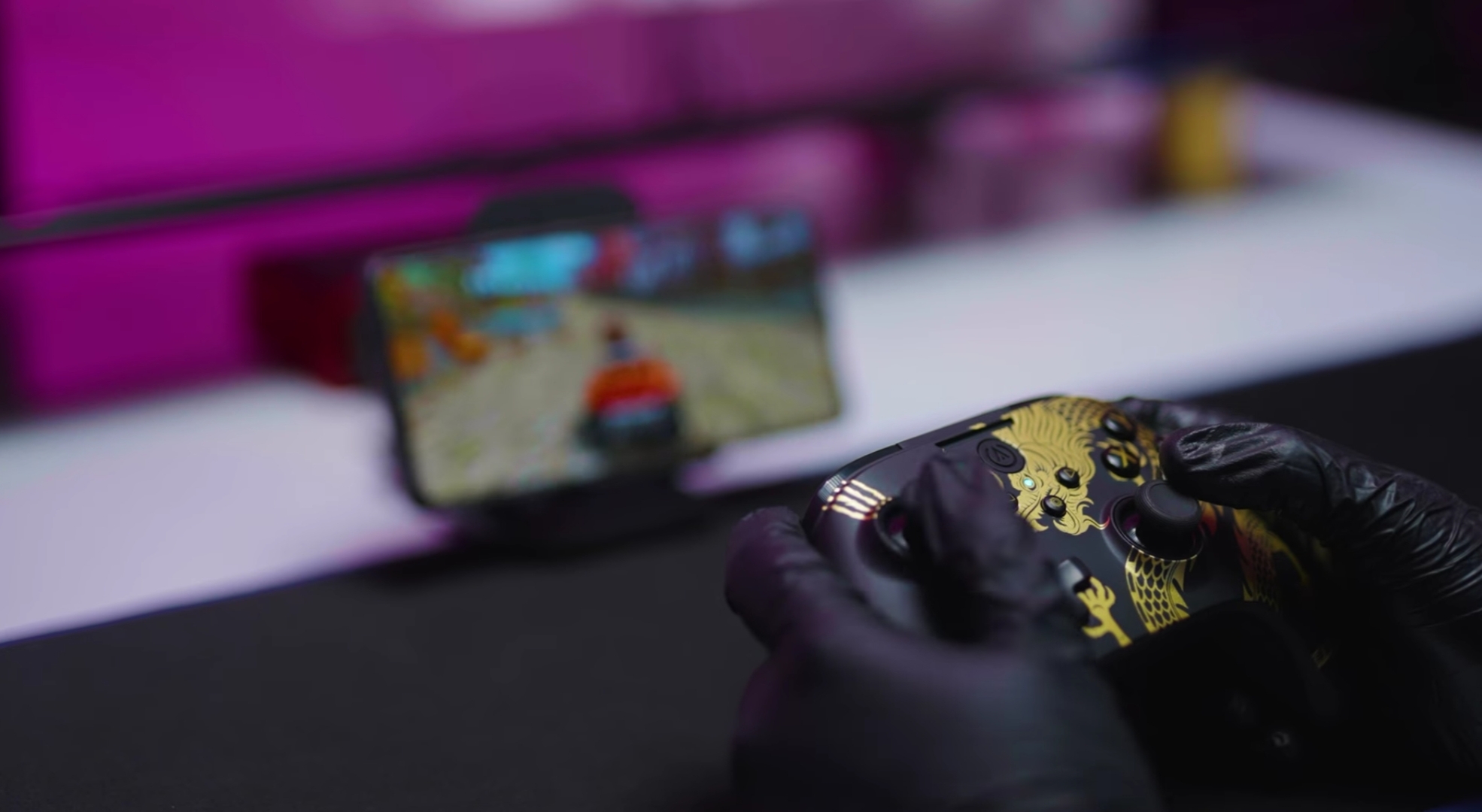
The 2.4GHz wireless mode via the USB dongle on PC is my default. The latency is genuinely low in fast FPS games I haven’t noticed any input delay compared to wired. This is the mode to use for serious PC gaming and it works exactly as advertised.
Bluetooth connects to my Android phone for mobile gaming sessions and to my smart TV for living room gaming. The latency in Bluetooth mode is slightly higher than 2.4GHz noticeable if you’re specifically looking for it in very fast-reaction games, fine for most casual gaming and everything on mobile.
USB-C wired mode is zero-latency and useful when the battery needs charging but you want to keep playing. Switching between modes requires holding a button takes a few seconds.
The Four Mappable Buttons
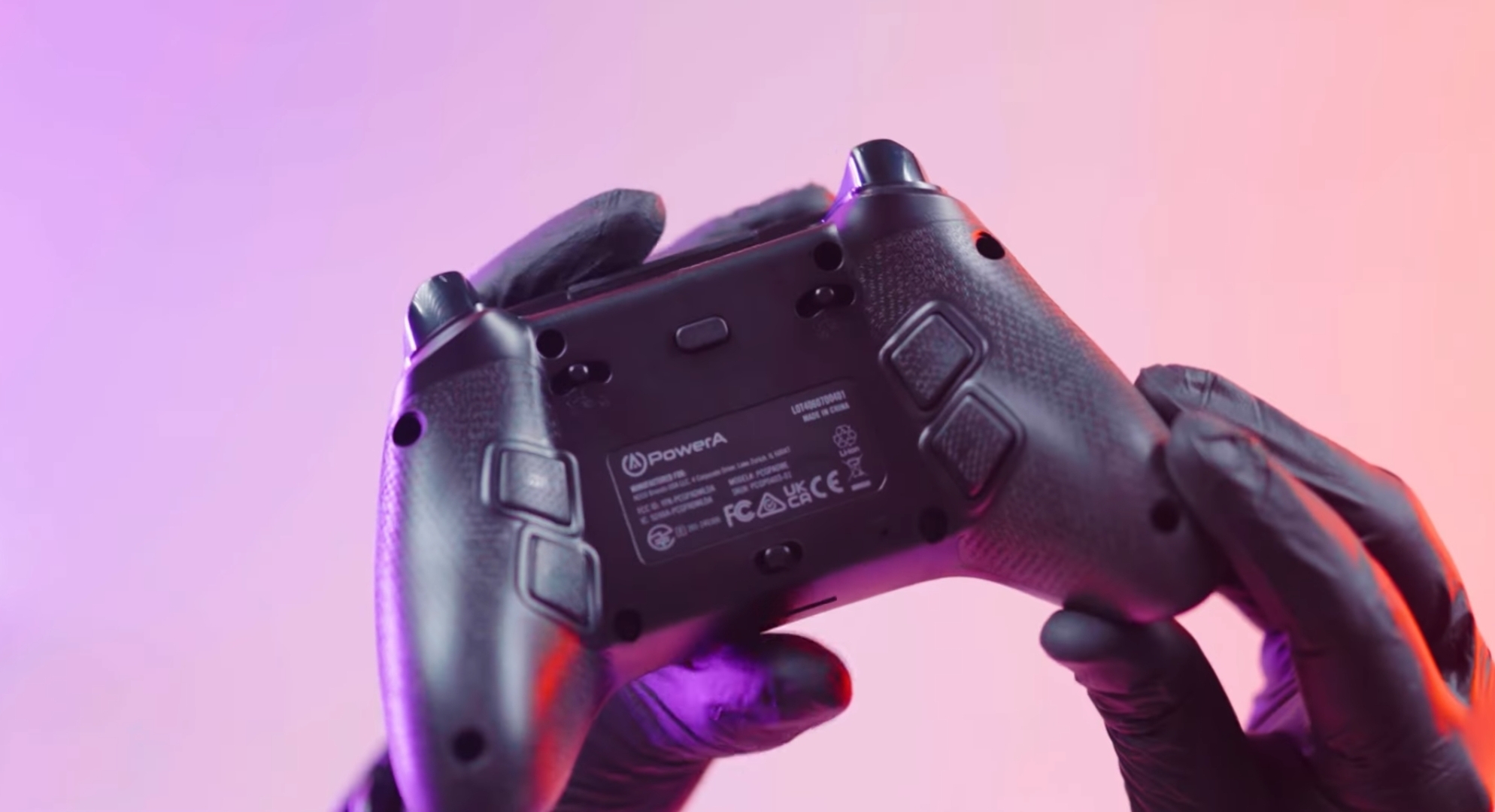
Four additional programmable buttons sit on the back and underside of the controller. I mapped two of them to actions I was previously pressing face buttons for keeps my thumbs on the sticks more consistently during play. Setting them up through the companion app is straightforward.
The Turbo function assigns rapid-fire input to specific buttons. Genuinely useful in games with repeated button presses fishing minigames, crafting systems, combat with repeated attack inputs. Reduces finger fatigue meaningfully in those situations.
The trigger locks adjust travel distance. Shorter travel means faster trigger response in shooters. Three positions give enough adjustment range to match your preference.
Battery 20 Hours Is Accurate
550mAh battery lasts around 18 to 20 hours depending on vibration intensity and wireless mode. In practical terms I charge it once every four to five days of regular gaming. USB-C charging is convenient same cable as my phone and other devices.
The vibration feedback from the dual rumble motors is well calibrated. Racing game impacts, gunfire, explosions the feedback adds to immersion without being so aggressive it causes hand fatigue during long sessions. Doesn’t match the haptic precision of a DualSense but that’s a different price category comparison entirely.
What It Doesn’t Do
No iOS compatibility Bluetooth only works with Android and certain smart TVs. If you game primarily on iPhone this isn’t the right choice.
Not designed for professional competitive gaming. For casual to moderate gaming across PC, Android, and TV excellent. For someone who games competitively where every millisecond matters and wants the absolute best dedicated esports controllers at higher price points exist for that purpose.
Price

Between ₹2,200 and ₹5,000 depending on color style and variant. Standard colors sit toward the lower end. Premium styles like Ghost trend higher. The PC and Xbox variants are priced similarly. Don’t pay above ₹5,000 for a standard model check Amazon for current pricing as it fluctuates by style.
Six Weeks In

Happy with the purchase. The Hall Effect sticks were the deciding factor and they’ve delivered exactly the precision and drift-free performance I wanted. Three-way connectivity covers every platform I game on. The battery lasts long enough that I don’t think about it. Build quality has held up well.
For a moderate gamer who wants a well-built multi-platform wireless controller without paying premium console controller prices this one hits the right balance.
PowerA Battle Dragon Features Overview
| Feature | What It Means for You |
|---|---|
| Multi-Platform Support | Works on PC, Android smartphones, tablets, and compatible Smart TVs |
| 3-Way Connectivity | USB-C wired, 2.4GHz wireless for PC, Bluetooth for Android and Smart TVs |
| Hall Effect Thumbsticks and Triggers | Magnetic sensors prevent stick drift and deliver accurate long-lasting input |
| 4 Mappable Buttons | Extra programmable buttons for custom control layouts |
| 3-Way Trigger Locks | Shorter trigger travel for faster response in shooters |
| Turbo Function | Rapid repeated input on assigned buttons reduces finger fatigue |
| Dual Rumble Motors | Immersive vibration feedback during gameplay |
| 20-Hour Battery | Built-in 550mAh rechargeable via USB-C |
| Removable Analog Caps | Non-slip textured caps improve grip and accuracy |
| Controller App | Calibration and customization via USB-C or 2.4GHz modes |
| Warranty | 2-Year limited warranty |
Full Specifications
| Category | Details |
|---|---|
| Brand | PowerA |
| Model | Battle Dragon Wireless Controller (PCGP0402-01) |
| Release Date | 30 July 2024 |
| Connectivity | USB-C Wired, 2.4GHz Wireless, Bluetooth |
| Compatible Platforms | PC, Xbox, Android, Smart TV (Not iOS) |
| Thumbsticks | Hall Effect (anti-drift) |
| Triggers | Hall Effect with 3-way locks |
| Extra Buttons | 4 Mappable buttons |
| Turbo | Yes |
| Vibration | Dual Rumble Motors |
| Battery | 550mAh Li-Po, up to 20 hours |
| Charging | USB-C |
| Dimensions | 15.6 × 10.8 × 6.3 cm |
| Weight | 270g |
| Warranty | 2 Years Limited |
| India Price | ₹2,200 to ₹5,000 depending on style |
Questions about specific games or whether it suits your gaming setup drop them in the comments.
