

VR is one of those things that’s nearly impossible to explain to someone who hasn’t tried it. I know because I spent months reading about it before finally trying a friend’s PS VR2 setup for an evening. Went home and ordered one within the week. That’s either a testament to how good it is or a warning about how persuasive a good demo can be probably both.
I’ve had mine for about eight months. Here’s what I wish someone had told me before buying.
Before Anything Else The Honest Prerequisites
You need a PS5. Not just any PS5 it needs to be a working PS5 with an available USB-C port. You connect the headset via a single cable to the console which is genuinely the simplest VR setup I’ve encountered. No external sensors, no camera boxes, no calibration room. Plug in, put on headset, follow the on-screen setup which takes about ten minutes, done.
You also need physical space. The setup asks you to define a play area a circle or rectangle around you that represents your safe zone. I have a medium-sized room and carved out about a 2×2 meter space by moving a chair. For standing and seated experiences this is enough. For room-scale games where you physically walk around you want more. This is worth thinking through before buying if your living situation is compact.
And you need to budget for games separately. Nothing comes in the box beyond the hardware. VR titles range from ₹1,500 to ₹4,000 typically and the library, while growing, is not as large as regular PS5 games. Be realistic about this upfront cost before committing.
The Headset Comfort Matters More Than People Say

VR headset comfort is the most underrated spec in any review. A headset with slightly worse visuals that sits comfortably for an hour is more valuable than a technically superior headset that becomes painful after twenty minutes. The PS VR2 sits well for me the weight distribution is balanced rather than front-heavy, and the adjustable headband positions the lenses correctly without much fiddling.
Glasses wearers: there’s a lens adjustment dial that increases the distance between the lenses and your face to accommodate frames. I don’t wear glasses but friends who do have used my headset without issues. Larger frames may be tighter but it generally works.
People with IPD (inter-pupillary distance) differences from average may find focus slightly off. The PS VR2 has a software IPD adjustment rather than a physical slider which works adequately but is less precise than physical adjustment on some competing headsets.
Motion sickness is real and individual. Some people never experience it, some feel it immediately, most land somewhere in between depending on the game. Slower-paced games with stable movement are better for VR beginners. Fast movement games with artificial locomotion where you push a stick to move rather than physically walking are more likely to cause discomfort initially. If you’re new to VR start with shorter sessions and build up tolerance. Most people adapt over a week or two.
The Display This Is Where It Earns Its Price
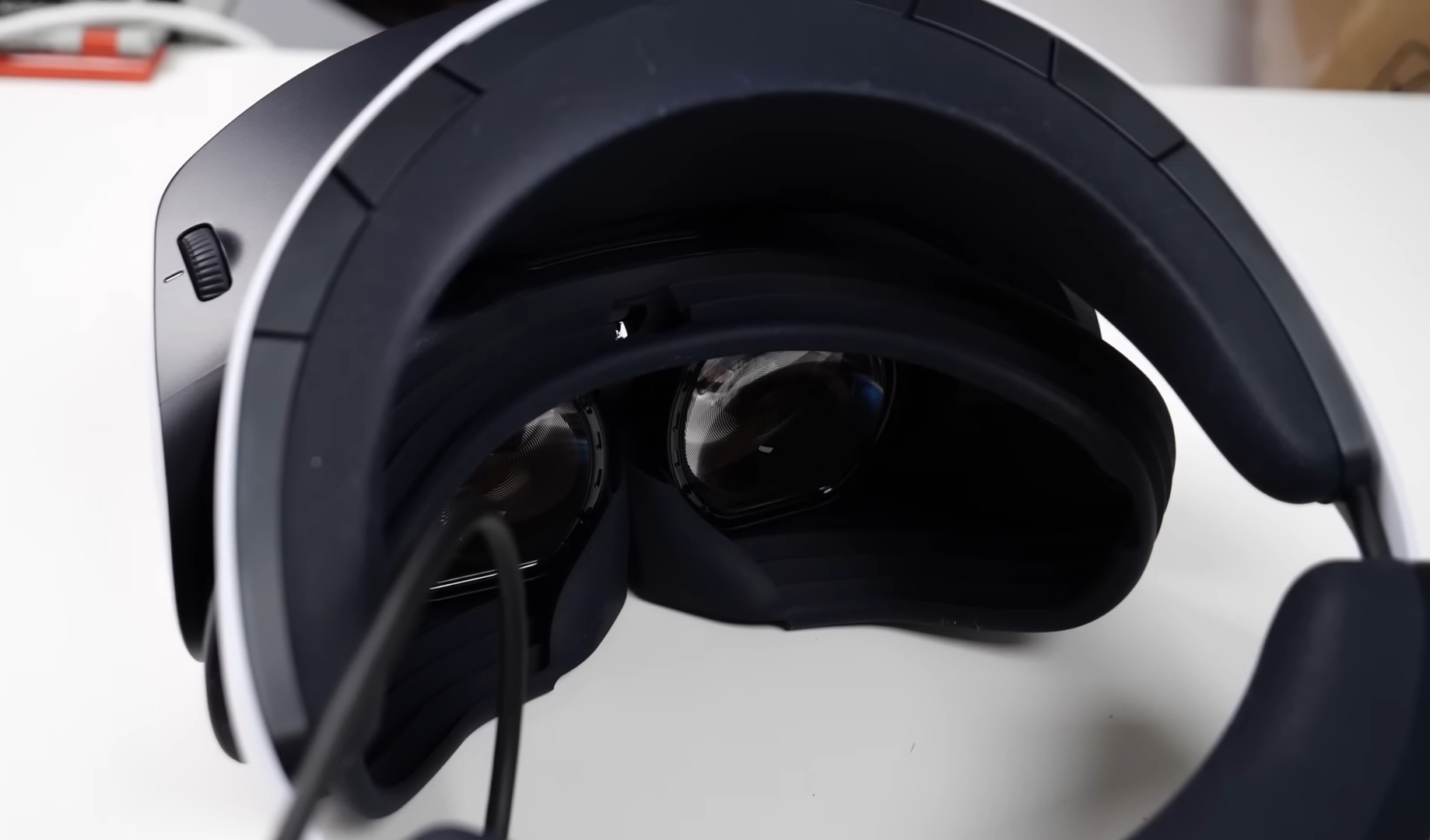
2000 × 2040 pixels per eye with 4K HDR sounds like marketing until you put the headset on and look around. The screen-door effect that mesh-like grid you could see in first-generation VR is essentially gone. Text is readable. Distant details are clear. The 110-degree field of view means the virtual environment occupies most of your vision naturally rather than feeling like you’re looking through a porthole.
HDR in VR is different from HDR on a TV. When a scene goes dark it genuinely goes dark. When there’s a bright light source it genuinely looks bright. The contrast creates a depth of realism that flat screens can’t fully match.
The first time I loaded Horizon Call of the Mountain and looked around at the environment I spent about five minutes just turning around slowly taking it in. That reaction has come back in other games too there’s a specific moment in good VR where your brain stops processing it as a game and starts processing it as a place.
The Sense Controllers Familiar But Different
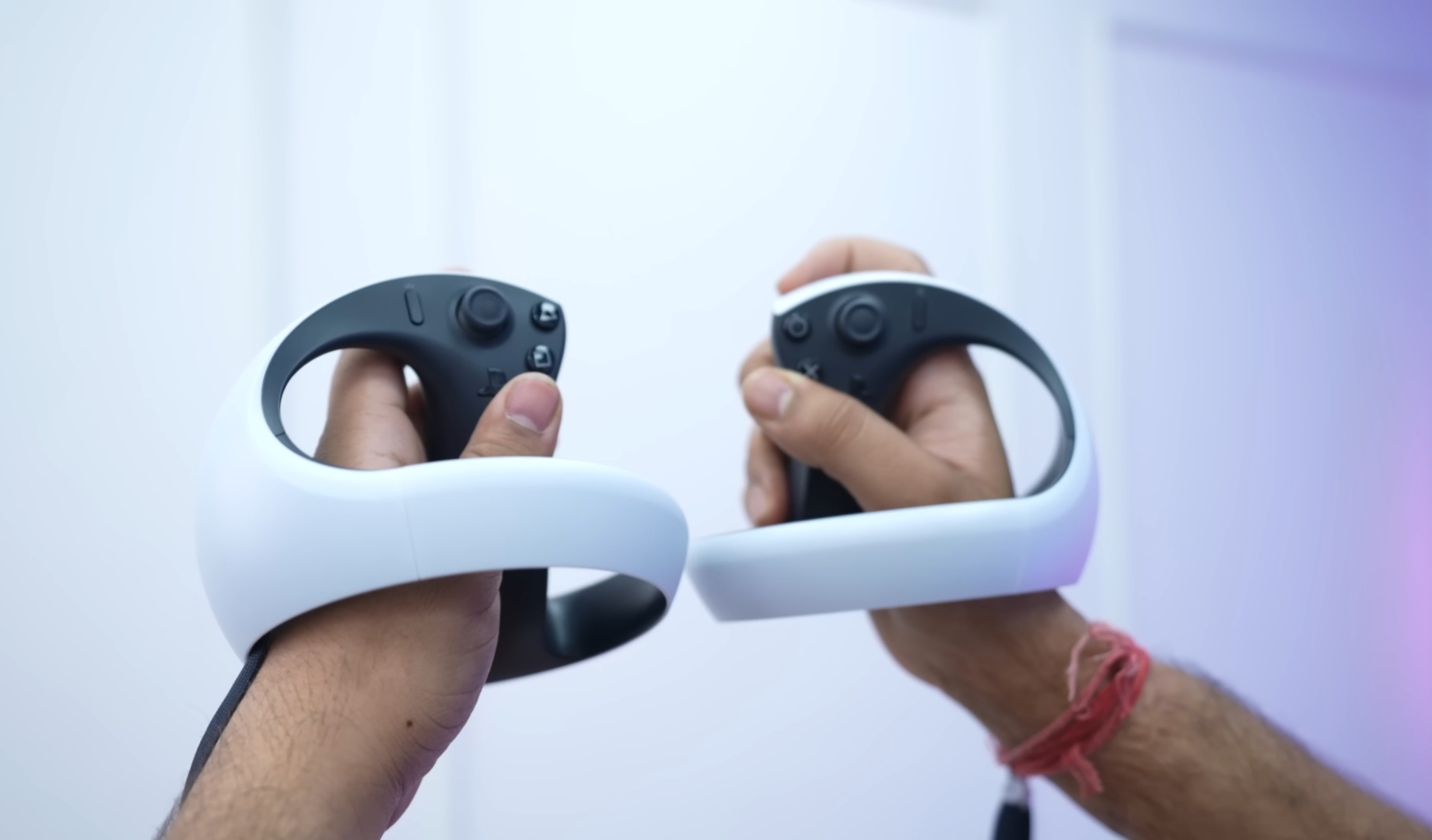
The ring design looks unusual in photos and feels natural in use within minutes. Your hands grip inside the ring and the tracking cameras on the headset see the rings to track hand position. The result is accurate, low-latency hand tracking in the virtual environment.
The haptic feedback and adaptive triggers from the DualSense are present here in context-specific form. Drawing a bowstring, you feel resistance building in the trigger. Catching a ball, you feel it land in your virtual hand. These aren’t transformative in every game but when a developer uses them well the physical connection to virtual actions is genuinely impressive.
Finger touch detection the controllers sense which fingers are resting on buttons without pressing them enables natural hand gestures in supported games. Pointing, waving, thumbs-up these read from your actual finger positions rather than button presses. Small feature, adds meaningfully to social and interactive VR experiences.
Eye Tracking Genuinely Useful, Not Just a Spec

Eye tracking serves two purposes. First, foveated rendering the PS5 renders the area you’re actively looking at in higher resolution and reduces quality in peripheral vision where your eye can’t resolve detail anyway. This lets the console maintain better visual quality where it matters without overloading the GPU for areas you literally aren’t focusing on.
Second, interaction. In supported games, where you’re looking becomes input. Aiming by looking and confirming with a trigger is faster and more natural than purely stick-based aiming. Menu navigation by glancing at options feels intuitive once you adjust to it.
The eye tracking calibration takes about thirty seconds at first setup and occasionally needs a quick recalibration if someone else uses the headset or lighting conditions change significantly.
The Game Library Honest Assessment
This is the most important practical consideration for anyone thinking about buying.
The PS VR2 library is smaller than regular PS5 games. That’s just reality. There are genuinely excellent titles Horizon Call of the Mountain is a full-length game built specifically for VR and is exceptional. Resident Evil Village has VR support that turns a great flat game into a terrifying experience. Kayak VR is one of the most visually impressive demonstrations of what the hardware can do. Beat Saber is endlessly playable and physically demanding in the best way.
But you’ll exhaust the must-play list faster than you would on regular PS5. Sony has been adding titles and the library is growing but if you expect the depth of the standard PS5 catalog you’ll be disappointed. Budget for maybe four to six launch titles and then revisit the library every few months as new things release.
Older PS VR games mostly don’t work on PS VR2 without updated patches. Some received updates, many didn’t. Don’t assume your PS VR library transfers over.
Who Should Actually Buy This

If you’re a PS5 owner who is genuinely curious about VR and willing to spend on a premium experience yes, this is the best console VR available. The hardware is genuinely impressive and the experiences it enables aren’t possible any other way.
If you’re buying a PS5 primarily to justify also buying the VR2 don’t. Get the PS5 first, live with it for six months, play the regular games, and then decide if you want to add VR. It’s an addition to PS5 gaming, not a replacement for it.
If you’re budget-conscious this is a significant additional purchase on top of an already expensive console. Be honest about whether the current game library justifies the spend for you specifically. The hardware will only get better supported over time so waiting isn’t a bad choice.
If you have motion sickness concerns try VR somewhere before buying. Many gaming cafes and Sony experience centers have demo units. Know your tolerance before spending this much.
Price
Between ₹44,000 and ₹50,000 depending on seller and availability. This is a premium price for a peripheral. Add game costs on top. Buy from Sony authorized retailers or major platforms like Amazon warranty support matters for hardware at this price point.
Eight Months In
Still use it regularly, though not daily VR is more of an event than background entertainment. Some evenings I want the full immersive experience and the PS VR2 delivers that in a way nothing else I own does. Other evenings I want to play from the sofa and the regular controller is more appropriate.
The hardware has held up perfectly. No tracking issues, no comfort degradation, controllers feel the same as day one. Sony has continued updating the system software and adding titles. The investment feels justified eight months later, which is the honest test of any expensive purchase.
Sony PlayStation VR2 Full Specifications
| Category | Details |
|---|---|
| Compatible Console | PlayStation 5 only |
| Display Resolution | 2000 × 2040 pixels per eye |
| Display Type | 4K HDR PenTile OLED |
| Field of View | 110 degrees |
| Tracking | Inside-out, Eye Tracking, Headset Feedback |
| Controllers | PS VR2 Sense Haptic Feedback, Adaptive Triggers, Finger Touch Detection |
| Audio | 3D Audio, 3.5mm Jack, Built-in Microphone |
| Connection | Single USB-C cable to PS5 |
| Battery | Built-in rechargeable Li-ion (controllers) |
| Weight | 560 g |
| Colour | White |
| Games Included | None |
| India Price | ₹44,000 to ₹50,000 |
| Warranty | 1 Year Manufacturing Defects |
Questions about specific games, motion sickness concerns, or whether it suits your particular setup drop them in the comments. Happy to answer honestly from actual experience.
