

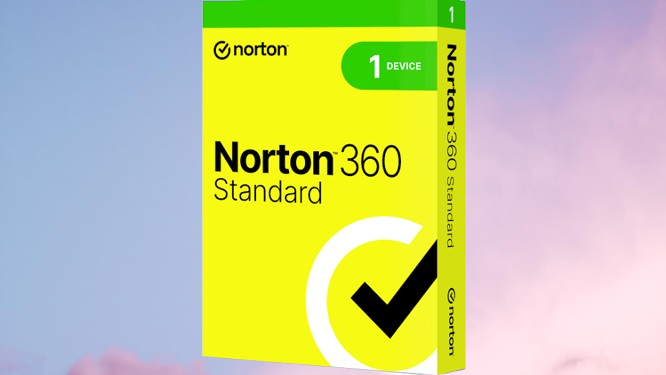
I’ll be honest about something, I’m not someone who usually thinks much about security software. For years I just relied on Windows Defender and figured that was enough. Then last year my friend’s laptop got hit with ransomware that encrypted all his college project files. He lost months of work. That was enough to make me take this seriously. After looking around for a while I settled on Norton 360 and have been using it for about eight months now across my laptop and phone.
Here’s my honest take on it.
Getting Started Easier Than Expected
Installation was straightforward. Downloaded it, ran the setup, it handled everything automatically. Took maybe five minutes before it was fully active and scanning. No confusing prompts, no weird settings you need to figure out before it works properly. Just installed and it was running.
The dashboard is clean. Everything is laid out in tiles Device Security, VPN, Dark Web Monitoring, Password Manager, Cloud Backup, Parental Controls. You can see at a glance what’s active and what needs attention. I’ve shown it to my parents and they navigated it without calling me for help which is genuinely the best test of a simple interface.
I tried McAfee for about two weeks before switching to Norton. The McAfee interface felt busier more notifications, more upsell prompts, things popping up more often than I wanted. Norton feels quieter and more settled.
Actual Protection What It Caught
About three months in I downloaded what I thought was a cracked version of a software tool I know, not smart. Norton blocked it instantly before it even finished downloading. Flagged it as containing a trojan and quarantined it. I looked up the file name later and found forum posts from people who got hit by exactly that malware. Norton caught it without me doing anything.
Real-time protection runs in the background and genuinely stays quiet until it needs to act. It’s not one of those security suites that constantly reminds you it exists with popups and alerts. On a normal day you forget it’s there which is exactly what you want from security software.
Web protection is solid too. It flagged a phishing site I accidentally clicked through from a spam email the page looked almost identical to a banking login page. Norton put up a warning before the page fully loaded. That one probably saved me a serious headache.
System Performance Does It Slow Things Down?
My laptop is a mid-range machine from 2021, nothing fancy. I was worried Norton would drag it down. It really doesn’t. Browsing, streaming, working on documents everything runs the same as without it. Full system scans do use some resources but I just schedule them for times when I’m not using the laptop and it’s a non-issue.
I’ve read that older or lower-spec machines can feel some slowdown with heavy security suites. On my setup it’s been fine. I’ve had Norton and Chrome with 15 tabs open simultaneously with no complaints.
Kaspersky is supposed to be similarly light on resources and from what technically inclined friends tell me that’s accurate. McAfee has a reputation for being heavier, though the newer versions are apparently better than they used to be.
The VPN Useful But Not a Full VPN Replacement
Norton 360 includes a VPN and I use it occasionally on public wifi airports, cafes, that kind of thing. It works fine for basic privacy on untrusted networks. Connection is stable, speeds are acceptable for browsing and streaming.
I wouldn’t replace a dedicated VPN subscription with it if privacy is your primary concern. But as an included feature for occasional use it earns its place. The fact that it’s built into the same app makes it easy to switch on without juggling separate software.
Dark Web Monitoring Found Something Unsettling
This feature actually alarmed me a bit when I first set it up. Within a few days of entering my email addresses it flagged that one of them had appeared in an old data breach a gaming platform that got hacked a few years back. My password from that site was exposed. I’d stopped using the platform but I was reusing that password elsewhere. Changed everything immediately.
It monitors continuously and sends alerts if new breaches surface. Most people don’t know how many old data leaks contain their information until something like this shows them. Genuinely useful, not just a gimmick.
McAfee offers similar monitoring in some plans. Kaspersky’s identity protection features are more limited depending on your region. This is an area where Norton’s package feels more complete.
Password Manager Decent, Not Perfect
It’s included and it works. Saves passwords, autofills on websites, generates strong passwords. I used it for a few months before switching to a dedicated password manager because I wanted more features and cross-device flexibility. But for someone who doesn’t already use a password manager it’s a genuinely useful addition that most other suites charge extra for or don’t include at all.
Firewall Running Quietly in the Background
The firewall monitors both incoming and outgoing connections. I noticed it flagged an app on my laptop that was trying to send data outward turned out to be a freeware tool that had adware bundled in. Norton blocked the connection and alerted me. I uninstalled the tool.
Most people never think about outgoing connections but that’s actually how a lot of spyware and data-harvesting software operates. Having a firewall that monitors both directions is more useful than it sounds.
Pricing Worth Knowing Before You Commit
Norton 360 plans vary by the number of devices and features included. The Standard plan covers one device and runs cheaper annually. The Deluxe plan covers up to five devices and includes more features including the full Dark Web Monitoring. There are higher tiers above that with additional identity protection features.
Check the current pricing directly on Norton’s website or authorised resellers because it changes with promotions. First-year pricing is often heavily discounted renewal prices are higher so factor that in when budgeting. It’s worth comparing what each tier includes before picking one.
Any Downsides?
Renewal pricing catches people off guard the first year deal is attractive and then the renewal is noticeably higher. Worth knowing upfront.
Some features like cloud backup have storage limits depending on your plan. If you’re doing serious backups you’ll hit those limits fairly quickly.
And occasionally Norton is slightly overzealous it once flagged a legitimate open-source tool I was trying to install. I had to manually allow it after checking it was safe. Not a dealbreaker but something that happens a few times a year.
Norton 360 vs McAfee vs Kaspersky The Short Version
Kaspersky is technically excellent at core malware detection consistently strong in independent lab tests. The concern for some users is around its origins and data privacy policies, which is worth researching depending on your situation. McAfee has improved significantly and is a solid all-around package, though the interface still feels busier and some features feel more promotional than practical. Norton sits in a strong middle ground consistently high detection rates, clean interface, the most complete set of included extras, and a service reputation that’s been built over decades.
For most everyday users who want reliable protection without managing too much Norton 360 is a genuinely solid choice.
Eight Months In Still Using It
Haven’t had a security incident since installing it. The Dark Web Monitoring caught a real breach. The real-time protection blocked an actual threat. The system runs normally without slowdown. For what I paid I feel like I got what was promised.
If you’re currently relying on just the built-in Windows protection and doing anything sensitive online banking, shopping, work documents a proper security suite is worth the investment. Norton 360 is one I’d recommend without hesitation based on actual use.
Questions about specific features or plans drop them in the comments.
